
Using generative AI as a thought partner in your coursework may enhance your critical thinking and creativity for certain types of assignments. Before you use generative AI in health care innovation courses, however, please read:
- The Course Policy which is unique to your instructor. This can be found in the Before You Begin module on the "Use of Generative AI" page.
- The HCIN Course Policy on Academic Honesty
Which includes information about acceptable uses of AI, as well as guidelines for acknowledging AI usage in your work. - Penn’s Guidance on the Use of Generative Artificial Intelligence
Which includes information about transparency, security, bias, privacy, and confidentiality.
Remember that it is plagiarism to submit work produced substantially by an AI tool. AI should supplement your own thinking, not replace it.
Accessing Microsoft Copilot
If you choose to use generative AI in your coursework, please utilize tools that are licensed by Penn. You can access the Microsoft Copilot AI chatbot as part of Penn’s institutional Office 365 subscription. To log in to Copilot for the web:
- From a web browser, enter copilot.microsoft.com. You should see the Copilot homepage.
- Click the Sign In button.
- You may be asked if you want to sign in with a personal account or a work account; choose the work account.
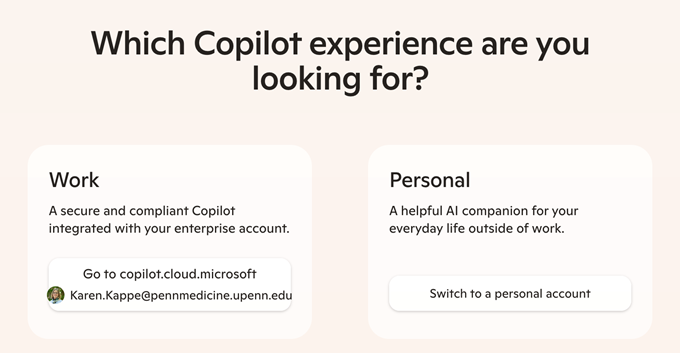
- Sign in with the same credentials you use for your Penn Medicine email.
Advice on Microsoft 365 Copilot Chat AI Use
Note that this advice only applies to the use of Microsoft 365 Copilot Chat and not Microsoft 365 Copilot (which requires an additional license for use).
- Users must be logged into a University Microsoft 365 account for appropriate protections and licensing.
- Use of Microsoft 365 Copilot Chat should be consistent with other University policies and guidance including, without limitation, the University’s Statement on Guidance for the University of Pennsylvania Community on Use of Generative Artificial Intelligence (2023) and the Penn Data Risk Classification.
- Microsoft 365 Copilot Chat is approved for Low, Moderate and most High-risk data per the Penn Data Risk Classification. Users should not input SSNs or credit card data into the Microsoft 365 Copilot Chat tool.